
Article title goes here
Published måndag 24 november 2025 kl. på eftermiddagen by Fýrine Holm
This is the article summary. It can be as long or short as you want but I recommend a few sentences. The only rule is that it doesn't have a newline/carriage return (so it must all be on one line in the markdown source file).
- Author: Fýrine Holm
- Date: 15:00+1 2025-11-24
- Summary: This is the article summary. It can be as long or short as you want but I recommend a few sentences. The only rule is that it doesn't have a newline/carriage return (so it must all be on one line in the markdown source file).
Introduction
The Civlabs Team has recently concluded the initial trial of the Specialization Experiment. The Specialization Experiment was largely inspired by Joyful’s analysis of large-scale cooperation among groups of players in previous experiments within the Minecraft Civilization genre. The team is proud to be among the first researchers to test the application of Joyful’s Theory of Specialization within the bounds of a rigorous experiment.
This report will detail the findings of Trial Zero, which will not have its results included in the final research paper of this experiment. This trial serves to examine the initial behavior of the experiment’s participants to determine if any modifications need to be made to the incentive structure prior to the commencement of the formal experiment.
DEMO OF FEATURES
headings
You can make headings like this one by starting a line with one or more "#" characters followed by a space. The number of "#" characters indicates the heading level, from 1 (largest) to 6 (smallest).
inline formatting
If you want to add emphasis or style to specific words or phrases within a line, you can use inline formatting such as bold or italic text.
you can intersperse lines with boldness
You can also make text italicized if you want.
The one important thing to be aware of is that before you start a formatted inline element like bold or italic, there must be an extra space. So this will not work:Thisiswrong, but this will look right because there are spaces on either end.
figures/graphs
You can include images using the following syntax:
┃image|gjogv.jpg|Figure 1: Example of the Gjøgv narrow-gauge railway|and this will render to:
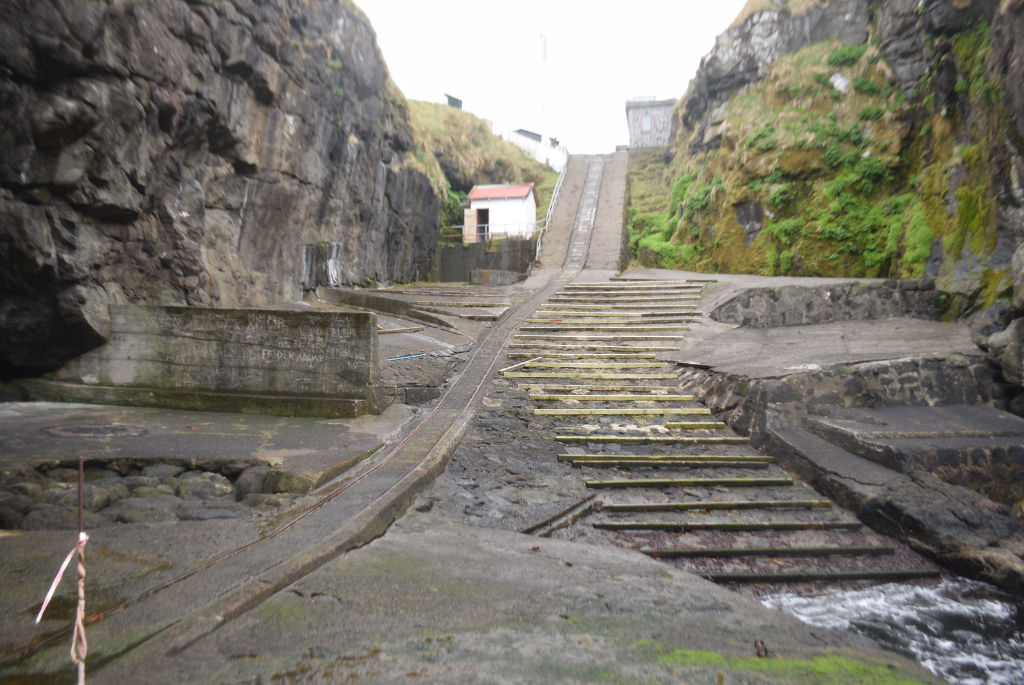
The image will be searched for in the findingAssets folder.
graphs
Export graphs to image files.
If you need rich interactive graphs, dm me and I will see if I can add support for them.
how do I add an external image link?
Don"t. It"s bad practice to do so. It could get taken down or swapped by the host site and then your report would be broken. Instead, download the image you want to use, put it in the findingAssets folder, and link to it using the syntax above.
lists
Joen Danielsen
links
Links will be automatically detected and made clickable when added in standard markdown syntax. For example, here is a link to CivLabs.
blockquotes
You can create blockquotes by starting a line with the ` character. For example:
multiline blockquote
This is a blockquote. It is used to highlight important information or quotes from other sour
auisdfui
sdiofsdui
sdio.```
single line block quotes
This is a single line blockquote.a final note
You may feel like some of the limitations must be small simple tweaks and it isn"t worth the effort to contact me about them, but the current system relies on zero dependencies which is good, but a custom markdown parser is very fragile and even small changes or tweaks may be much more complicated to implement than you would expect so please do reach out to me on Discord (@fyrine) if you need any changes or need a new feature!

